

Overview
Role-Based Access Control (RBAC) allows administrators to manage user permissions by assigning predefined roles. Each role grants access to specific features and capabilities within the platform, ensuring secure and efficient access management. Users can be assigned one or more roles depending on their responsibilities.Assigning Roles
If using SSO
If you are using Single-Sign-On (refer: SSO Overview), you can map your user groups to specific roles in Kubex. By default, the following user groups are mapped to roles as described above:- KUBEX_USER -> Analyst
- KUBEX_USER_ADMIN -> Access Manager
- KUBEX_AUDIT_ADMIN -> Connection Manager
- KUBEX_POLICY_ADMIN -> Policy Manager
If not using SSO
To assign roles to a user:- Navigate to the User Management section.
- Edit or create a user and assign the desired role(s) using the checkboxes.
- Save the changes to apply permissions.
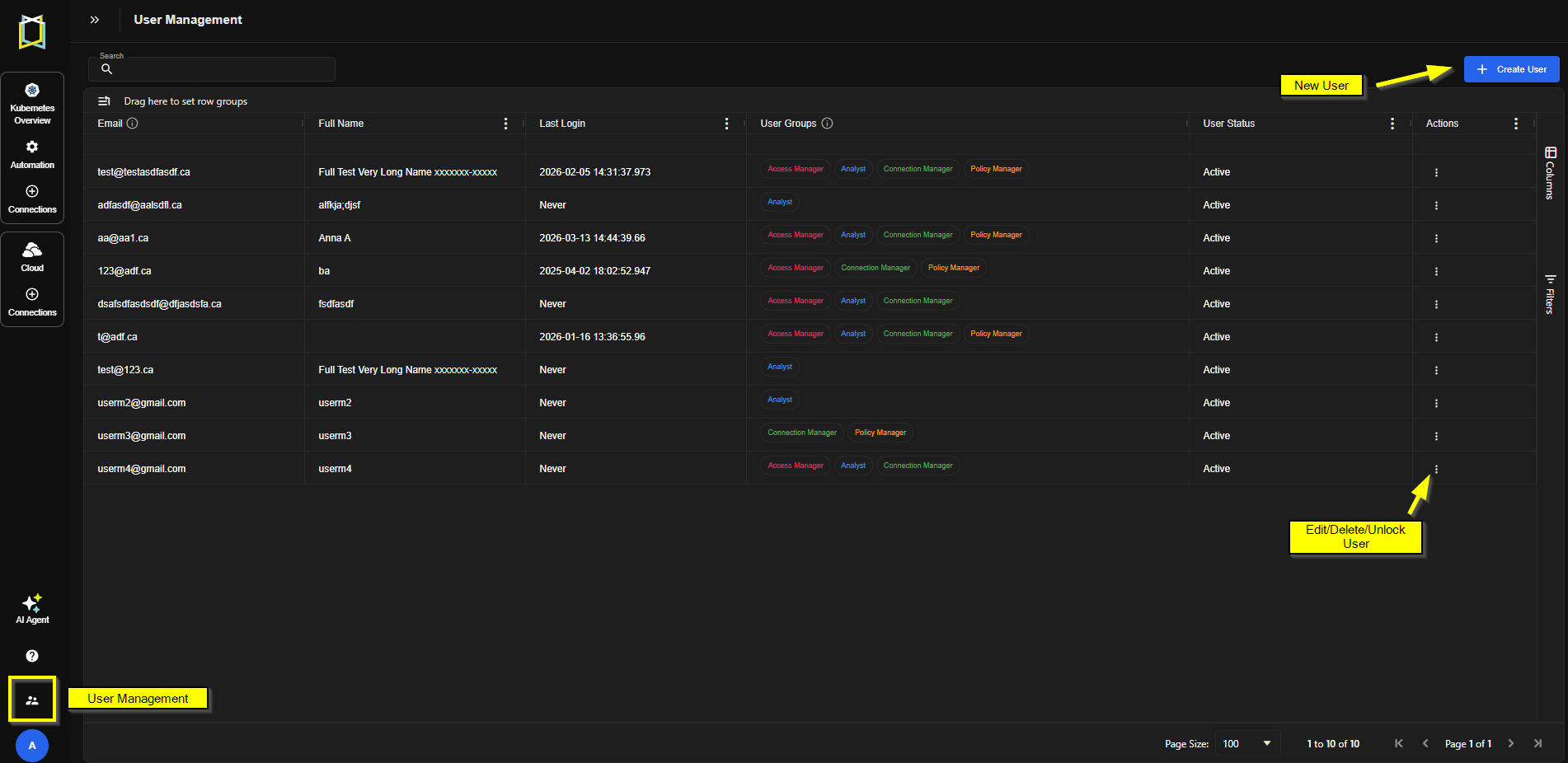
Figure: User Management
Best Practices
- Principle of Least Privilege: Assign only the roles necessary for a user’s responsibilities.
- Separation of Duties: Avoid assigning conflicting roles to the same user.
- Regular Audits: Periodically review role assignments to ensure compliance.